
File-Level Recovery with Built-In Malware Scanning for Kasten K10

https://github.com/jdtate101/kasten-flr-ui
A guided web UI that takes Kasten's native FLR API from a raw kubectl workflow to a point-and-click recovery wizard — with integrated YARA + ClamAV scanning before you restore a single byte.
Written by James Tate — Kasten Senior System Engineer — 2026
Kasten K10's File-Level Recovery API is powerful but raw. To use it natively, you're orchestrating FileRecoverySession custom resources, tunnelling SFTP through kubectl port-forward, and running kubectl cp by hand. It works, but it's slow, error-prone under pressure, and completely inaccessible to anyone without CLI access.
The Kasten FLR UI changes that. It's a FastAPI + vanilla JS web application deployed on OpenShift that wraps the entire FLR workflow in a guided six-step wizard — from policy selection through file browsing to transfer — with integrated on-demand malware scanning, automated daily scheduled scanning across all backup policies, and a health dashboard, all in a Veeam-aligned dark UI.
What it does
At its core, the app exposes three capabilities:
File-level recovery from any Kasten restore point. Select a policy, pick a restore point, start an FLR session, browse the backup contents with a full file-type-aware SFTP browser, then push selected files directly into a running pod, SCP them to any SSH host, or download them as a ZIP to the browser.
Malware scanning of any restore point before you commit to recovery. The scanner spins up an isolated clone namespace, restores the PVCs there, runs YARA against user-defined rules and ClamAV with freshclam-updated signatures, and reports results in real time — complete with threat detail, MITRE ATT&CK links, and an animated CLEAN or DIRTY verdict banner.
Scheduled scanning of every backup policy, daily, unattended. A background asyncio task wakes every 60 seconds, checks the schedule, and works through each eligible policy sequentially — preferring local snapshot restore points for speed, falling back to export. Results land in unified scan history, with an in-app alert banner and HTML email via Gmail SMTP if anything comes back dirty.
Architecture
The application runs as a single pod behind nginx, with FastAPI handling all backend logic. The interesting architectural decisions come from the constraints of working inside a Kubernetes cluster with Kasten's network policies.
Browser
  │
  ▼
nginx:8080
  │
  ▼
FastAPI:8000
  │
  ├── Kubernetes API → Policies, RestorePoints, FileRecoverySessions, RestoreActions
  │
  ├── kubectl port-forward ──► FLR SFTP pod (kasten-io:2222)
  │     └── paramiko SFTP client ──► Browse & stage files
  │
  ├── kubectl cp ──► Running pod filesystem (pod recovery)
  ├── paramiko SCP ──► Remote SSH host (SSH recovery)
  ├── ZIP + stream ──► Browser download
  │
  ├── Malware scan namespace (kasten-malware-scan-<id>)
  │     ├── RestoreAction → clone PVCs into isolated namespace
  │     ├── Scale workloads to 0 → release PVC mounts
  │     └── Scanner Job (YARA + ClamAV)
  │
  └── asyncio background scheduler
        ├── Wakes every 60s → checks /data/scan-schedule.json
        ├── Iterates all eligible policies sequentially
        └── Writes results + sends email alerts
The SFTP tunnel problem
Kasten's FLR NetworkPolicy only allows SFTP ingress from the application's own namespace. Since the FLR UI runs in kasten-flr-ui and the FLR pod runs in the application namespace (e.g. navidrome), direct TCP is blocked.
The solution: kubectl port-forward. It tunnels through the Kubernetes API server, which is not subject to NetworkPolicy. It's not elegant, but it's a clean bypass that requires no changes to Kasten's networking.
The recovery workflow
The wizard walks through six steps in sequence, with skeleton loading placeholders while API calls complete.
Step 1 — Select policy. Real-time search and filter across all Kasten backup policies. KubeVirt/VM policies and policies without PVC data are automatically excluded — they can't be used for FLR.
Step 2 — Select restore point. Snapshot and export restore points displayed with type badges. Paired RPs from the same backup run are grouped side-by-side with a green left border. From here you can also trigger a malware scan on any RP before committing, or select a second export RP to enter diff mode.
Step 3 — Start FLR session. Confirmation card shows the policy avatar, restore point name, PVC list, and a headroom warning if mount capacity is running low. Clicking confirm creates the FileRecoverySession CR, polls via SSE until the session is Ready, then connects the SFTP client. A live countdown in the header shows session expiry (Kasten default: 30 minutes).
Step 4 — Browse and select files. Dual-pane interface: SFTP browser on the left with 60+ file-type-accurate SVG icons, selection basket on the right. Hover any file for a tooltip showing size, modified date, and full path. Drag-and-drop or checkbox selection. In diff mode, a third tab shows added (green), deleted (red), modified (amber), and unchanged (grey) files across two export RPs.
Step 5 — Choose destination. Segmented tab control with three options: Pod/PVC (with an in-browser filesystem navigator to select the destination path inside the running container), SSH host, or ZIP download to the browser.
Step 6 — Transfer. Colour-coded SSE log streams transfer progress in real time. A spring-animated green success banner appears on completion. The session is then terminated, the staging area cleaned up, and the UI returns to Step 1.
Malware scanning
On-demand
Click Scan for Malware on any restore point in Step 2. A full-screen modal opens and works through three phases:
Phase 1 — Restore. An isolated kasten-malware-scan-<id> namespace is created. A Kasten RestoreAction clones the restore point PVCs into it. Any workloads are scaled to 0 to release PVC mounts before scanning begins.
Phase 2 — Scan. freshclam updates ClamAV signatures (60-second timeout, falls back to image-baked signatures if offline). YARA scans all files under the configured size threshold against user-uploaded rules. ClamAV scans everything. Threats appear in the UI in real time as they are detected, with per-PVC status pills tracking progress across all volumes.
Phase 3 — Results. An animated full-width banner shows CLEAN (green) or DIRTY (red). The threat table includes scanner, rule name and file path for every hit. Known malware families link directly to their MITRE ATT&CK or CISA advisory pages. The clone namespace is deleted automatically on close (or you can retain it for investigation).
A single threat anywhere across any PVC marks the entire restore point dirty — there's no partial pass.
Recommended workflow
Scan the snapshot RP first (local, takes seconds). If it's clean, proceed with FLR against the export RP for the actual file recovery. This gives you a fast pre-flight check without waiting for an S3 restore.
Scheduled scanning
The background scheduler wakes every 60 seconds to check whether a daily scan run is due. When it fires:
- All policies with PVC data are fetched (the same filtered set as Step 1)
- For each policy: the latest snapshot RP is used; falls back to export if none exists
- An isolated scan namespace is created, PVCs are restored, YARA + ClamAV run
- Results are written to
/data/scan-history.jsonwithscan_type: "scheduled" - A configurable inter-policy gap (default 5 minutes) limits concurrent resource usage
- After all policies: if any came back dirty, an HTML alert email is sent and an in-app banner is set
- The next daily run time is computed and saved
The in-app banner appears below the header on the next page load after a dirty run. It shows the run timestamp, dirty policy count, and policy names. Clicking View Details opens the scan history modal pre-filtered to that run. The banner is dismissible per run, with dismissal state persisted to the PVC.
Configuration lives in the Scheduled Scan modal:
| Setting | Default | Description |
|---|---|---|
| Enabled | Off | Master on/off switch |
| Run time (UTC) | 02:00 | Daily execution time |
| Gap between policies | 5 min | Pause between each policy scan |
| Gmail address | — | SMTP sender address |
| Gmail app password | — | 16-character Google app password |
| Alert recipients | — | Comma-separated email addresses |
Use Send Test Email to verify SMTP config before enabling alerts.
YARA rules management
Click YARA Rules in the header to upload, preview, and delete .yar or .yara files. Rules are stored on the persistent PVC at /data/yara-rules/ and injected into each scanner Job via a Kubernetes ConfigMap at scan time. If no user rules are uploaded, the scanner falls back to the image-baked kasten-starter.yar.
The starter ruleset ships 37 rules across 9 categories:
| Category | Examples |
|---|---|
| Test | EICAR test file |
| Ransomware | WannaCry, LockBit, REvil, Conti, BlackCat/ALPHV, Phobos |
| Web shells | PHP shell, ASPX shell, JSP shell, China Chopper |
| Credential stealers | RedLine, Raccoon, AgentTesla |
| RATs | AsyncRAT, QuasarRAT |
| Offensive tools | Cobalt Strike, Mimikatz, Metasploit/Meterpreter |
| Miners | XMRig |
| Loaders | PowerShell downloader, Linux reverse shell |
| Kubernetes-specific | Secret exfiltration, container escape, K8s API abuse |
A configurable max file size threshold controls which files YARA processes — large files (logs, database dumps) can be skipped to keep scan times reasonable.
Snapshot vs export restore points
Both types are supported, but they behave differently:
| Type | FLR | Diff mode | Malware scan | Speed |
|---|---|---|---|---|
| Snapshot | No | No | Yes | Seconds (local) |
| Export | Yes | Yes | Yes | Minutes (S3 pull) |
Snapshots are stored locally on the cluster and can be scanned immediately. Exports are in an external location profile (S3, NFS, etc.) and must be pulled down before use. For FLR and diff mode, you need an export RP. For a quick pre-recovery malware check, use the snapshot.
Authentication
The app uses Kubernetes token authentication rather than maintaining its own user database.
- Unauthenticated users are redirected to
/login - Obtain a token with
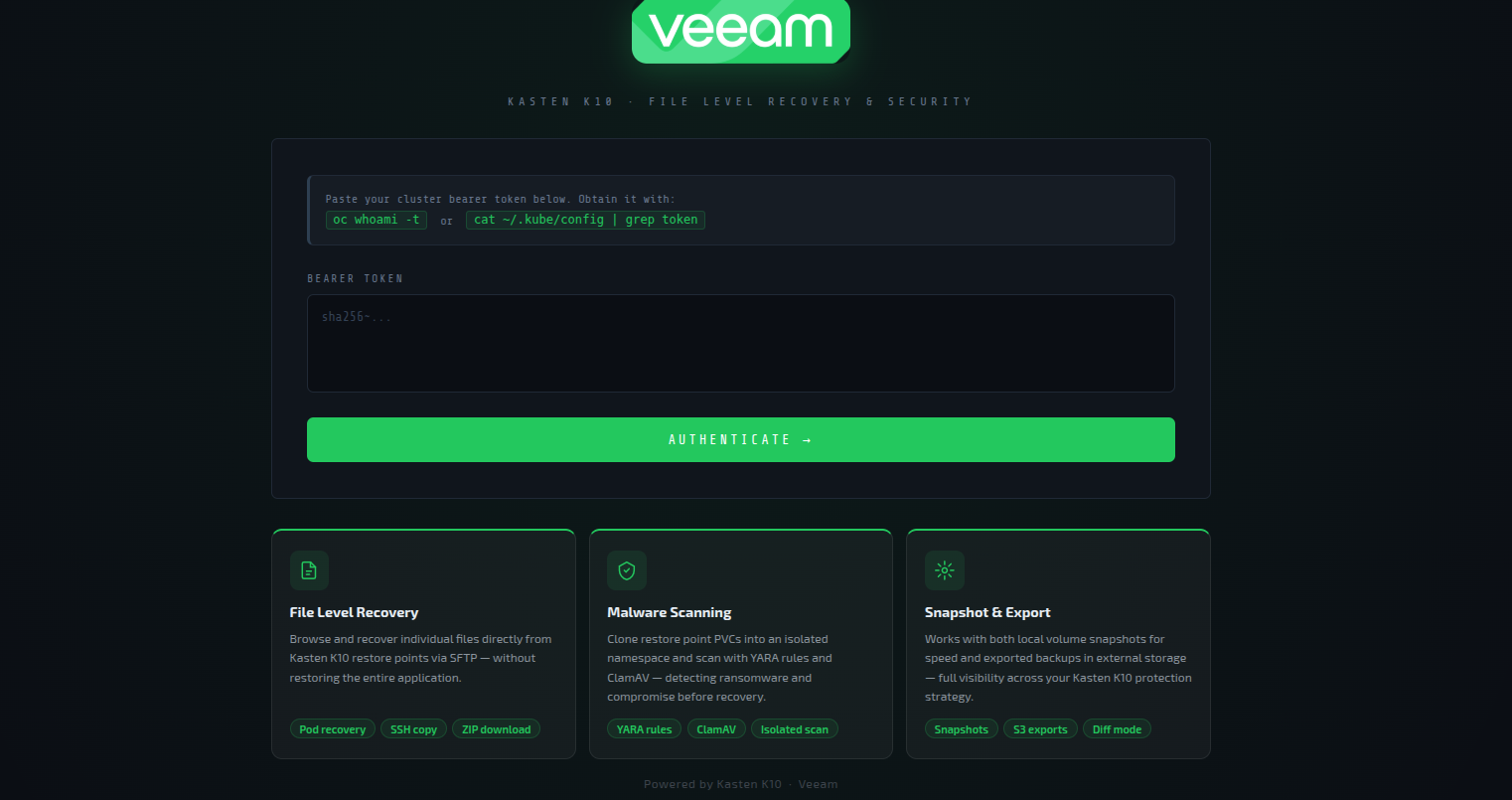
oc whoami -t - The backend validates the token via the Kubernetes
TokenReviewAPI - A signed 8-hour session cookie is issued (
itsdangerousHMAC) - Any 401 from the backend automatically redirects to
/login
Deployment
Prerequisites
- OpenShift 4.x with Kasten K10 installed in
kasten-io - Harbor registry (update image refs if using a different registry)
ocCLI authenticated to the clusterdockeron the build machine- Gmail account with an App Password for email alerts (optional)
Build and push
cd kasten-flr-ui

# Main FLR UI image
docker build -t harbor.apps.openshift2.lab.home/kasten-flr-ui/kasten-flr-ui:latest .
docker push harbor.apps.openshift2.lab.home/kasten-flr-ui/kasten-flr-ui:latest

# Malware scanner image
cd scanner-image/
docker build -t harbor.apps.openshift2.lab.home/kasten-flr-ui/malware-scanner:latest .
docker push harbor.apps.openshift2.lab.home/kasten-flr-ui/malware-scanner:latest
cd ..
Apply manifests
oc apply -f k8s/namespace.yaml
oc apply -f k8s/serviceaccount.yaml
oc apply -f k8s/clusterrole.yaml
oc apply -f k8s/clusterrolebinding.yaml
oc apply -f k8s/scc.yaml
oc apply -f k8s/pvc.yaml
oc apply -f k8s/deployment.yaml
oc apply -f k8s/service.yaml
oc apply -f k8s/route.yaml
Verify
oc rollout status deployment/kasten-flr-ui -n kasten-flr-ui
oc get route kasten-flr-ui -n kasten-flr-ui
oc exec deployment/kasten-flr-ui -n kasten-flr-ui -- df -h /data
Updating without a full rebuild
For frontend-only changes, hot-copy files directly into the running pod:
POD=$(oc get pod -n kasten-flr-ui -l app=kasten-flr-ui -o jsonpath='{.items[0].metadata.name}')
oc cp frontend/app.js      kasten-flr-ui/$POD:/usr/share/nginx/html/app.js
oc cp frontend/scan.js     kasten-flr-ui/$POD:/usr/share/nginx/html/scan.js
oc cp frontend/style.css   kasten-flr-ui/$POD:/usr/share/nginx/html/style.css
oc cp frontend/index.html  kasten-flr-ui/$POD:/usr/share/nginx/html/index.html
For a full rebuild and restart:
docker build -t harbor.apps.openshift2.lab.home/kasten-flr-ui/kasten-flr-ui:latest . && \
docker push harbor.apps.openshift2.lab.home/kasten-flr-ui/kasten-flr-ui:latest && \
oc rollout restart deployment/kasten-flr-ui -n kasten-flr-ui && \
tar -czf ~/kasten-flr-ui-$(date +%Y%m%d-%H%M%S).tar.gz -C ~ kasten-flr-ui/ && \
echo "✓ Done"
Technical notes
Deployment strategy is Recreate — the PVC is ReadWriteOnce, so only one pod can mount it at a time. Rolling deploys would cause the new pod to hang waiting for the volume. Accept the brief downtime window during updates.
One FLR session at a time — the backend tracks a single active session. A second start attempt returns HTTP 409. Terminate the active session from the header badge before starting a new one.
Staging area — selected files are downloaded from SFTP to /tmp/flr-stage (an emptyDir with a 10Gi limit) before onward transfer. Adjust emptyDir.sizeLimit in deployment.yaml if you're recovering large files.
Session expiry — Kasten's default FLR session lifetime is 30 minutes, configurable via Helm (frs.sessionExpiryTimeInMinutes). The countdown is shown in the header session badge. The scheduler uses snapshot RPs where possible, since they're local and don't consume mount quota for long.
Startup cleanup — on pod start, the app deletes any stale flr-ui-* FileRecoverySessions and kasten-malware-scan-* namespaces left over from a previous pod crash or restart.
All state writes are atomic — history files are written to a .tmp file then replaced with os.replace(). Oldest records are pruned automatically when per-file limits are reached (500 FLR records, 500 scan records, 200 scheduled scan results).
RBAC
The kasten-flr-ui ClusterRole grants the service account the following permissions:
| Resource | API Group | Verbs |
|---|---|---|
restorepoints, restorepoints/details |
apps.kio.kasten.io |
get, list, watch |
policies |
config.kio.kasten.io |
get, list |
filerecoverysessions |
datamover.kio.kasten.io |
get, list, create, delete, watch |
restoreactions |
actions.kio.kasten.io |
get, list, create, watch, delete |
namespaces |
core | get, list, create, delete |
pods |
core | get, list, watch |
pods/exec, pods/portforward, pods/log |
core | create, get |
persistentvolumeclaims, services |
core | get, list, watch |
configmaps |
core | get, list, create |
deployments, statefulsets, replicasets |
apps |
get, list, watch, patch |
jobs |
batch |
get, list, create, watch, delete |
clusterversions |
config.openshift.io |
get, list |
clusterserviceversions |
operators.coreos.com |
get, list |