
Running a Local NTP Server on RKE2 (and Pointing Every Client at It)

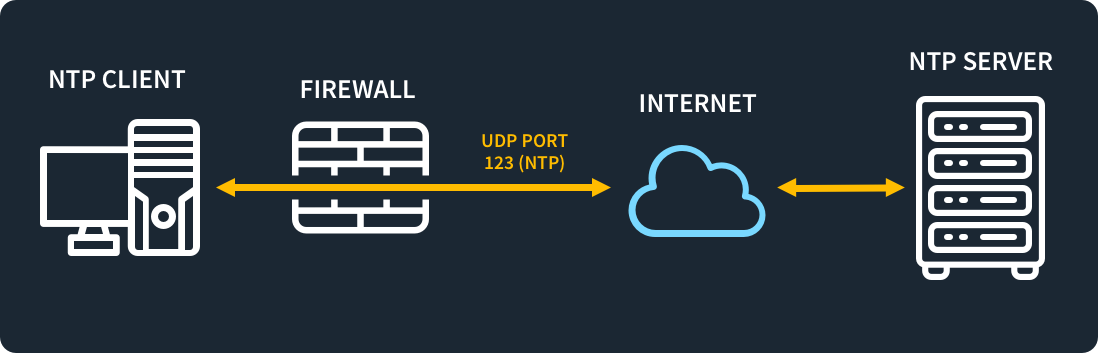
Why this came up: Graylog
I recently stood up Graylog on the RKE2 cluster and started forwarding Kasten K10 logs to it from a separate OpenShift cluster using Fluent Bit. The moment logs from more than one system land in the same place, the clocks on those systems become part of your data.
Graylog searches, sorts and alerts on event timestamps, and those timestamps are stamped by the sending host. If the clocks disagree, you get:
- Events out of order: a backup failure can appear to happen before the job that caused it, which makes root-cause analysis misleading.
- Broken correlation: matching a Kasten error on OpenShift with what happened on the RKE2 node or the backup repository at the same moment stops working once hosts are a few seconds (or minutes) apart.
- Missing results: searches and alert windows are time-bounded, so skewed messages can fall outside the window you expect, or show up as if they're from the future.
- Odd retention behaviour: index rotation and retention are time-based, so badly wrong clocks put messages in the wrong indices.
The fix is boring but essential: every client, whether a Kubernetes node, a VM, a jump box or a container host, should agree on the time. That is what the rest of this post sets up.
The plan
Accurate time matters more than people expect: TLS, Kerberos, log correlation, backups and distributed databases all get unhappy when clocks drift. Rather than have every host in the lab hit the public pool, I run one small NTP server on my RKE2 cluster that syncs against three uk.pool.ntp.org servers, and point everything else at it.
This post covers:
- Deploying chrony on RKE2 with a LoadBalancer IP
- Fixing the
<pending>external IP (RKE2 has no built-in LB) - Configuring clients on Ubuntu, RHEL-family, Alpine and Arch
Why chrony
chrony is the modern default on most distros. It syncs quickly, copes well with intermittent connectivity, and can act as a client and a server at once. The cturra/ntp image is a small Alpine container running chronyd, configured through environment variables.
1. Deploy chrony on RKE2
# ntp.yaml
apiVersion: v1
kind: Namespace
metadata:
  name: ntp
---
apiVersion: apps/v1
kind: Deployment
metadata:
  name: chrony
  namespace: ntp
spec:
  replicas: 1
  strategy:
    type: Recreate
  selector:
    matchLabels:
      app: chrony
  template:
    metadata:
      labels:
        app: chrony
    spec:
      containers:
        - name: chrony
          image: cturra/ntp:latest
          ports:
            - containerPort: 123
              protocol: UDP
          env:
            - name: NTP_SERVERS
              value: "0.uk.pool.ntp.org,1.uk.pool.ntp.org,2.uk.pool.ntp.org"
            - name: LOG_LEVEL
              value: "0"
          readinessProbe:
            exec:
              command: ["chronyc", "tracking"]
            initialDelaySeconds: 10
            periodSeconds: 30
          livenessProbe:
            exec:
              command: ["chronyc", "tracking"]
            initialDelaySeconds: 30
            periodSeconds: 60
          resources:
            requests:
              cpu: 10m
              memory: 16Mi
            limits:
              memory: 64Mi
---
apiVersion: v1
kind: Service
metadata:
  name: chrony
  namespace: ntp
  annotations:
    metallb.universe.tf/loadBalancerIPs: 192.168.1.123   # a free IP in your MetalLB pool
spec:
  type: LoadBalancer
  externalTrafficPolicy: Local
  selector:
    app: chrony
  ports:
    - name: ntp
      port: 123
      targetPort: 123
      protocol: UDP
Apply it and check the server is syncing:
kubectl apply -f ntp.yaml
kubectl -n ntp rollout status deploy/chrony
kubectl -n ntp get svc chrony
kubectl -n ntp exec deploy/chrony -- chronyc sources -v
kubectl -n ntp exec deploy/chrony -- chronyc tracking
In chronyc sources you want to see three upstream servers with a * next to the current best one. Skew and update interval look noisy for the first minute or two; that settles on its own.
2. The <pending> gotcha
If kubectl get svc shows EXTERNAL-IP <pending>, nothing in the cluster is handing out addresses. Unlike K3s (with its servicelb), RKE2 ships no LoadBalancer implementation, so the annotation above does nothing on its own. Check whether you already have one:
kubectl get pods -A | grep -i -E 'metallb|kube-vip|cilium|servicelb'
If not, install MetalLB (check the releases page for the latest version):
kubectl apply -f https://raw.githubusercontent.com/metallb/metallb/v0.14.9/config/manifests/metallb-native.yaml
kubectl -n metallb-system rollout status deploy/controller
Then give it an address pool and an L2 advertisement. Pick addresses outside your DHCP scope:
# metallb-pool.yaml
apiVersion: metallb.io/v1beta1
kind: IPAddressPool
metadata:
  name: lan-pool
  namespace: metallb-system
spec:
  addresses:
    - 192.168.1.123/32
---
apiVersion: metallb.io/v1beta1
kind: L2Advertisement
metadata:
  name: lan-l2
  namespace: metallb-system
spec:
  ipAddressPools:
    - lan-pool
kubectl apply -f metallb-pool.yaml
kubectl -n ntp get svc chrony
The external IP should appear within seconds. Test from another machine:
ntpdate -q 192.168.1.123
A healthy result looks like this (stratum 2, offset in microseconds):
192.168.1.123 s2 no-leap
3. Configure the clients
I use chrony everywhere, with the local server as the preferred source and the UK pool as a fallback. The fallback matters: if the whole cluster (including this pod) is cold-starting, the RKE2 nodes still need a time source.
Replace 192.168.1.123 with your LoadBalancer IP.
Ubuntu / Debian
sudo apt update && sudo apt install -y chrony
sudo sed -i 's/^\(pool\|server\) /#&/' /etc/chrony/chrony.conf
sudo tee /etc/chrony/sources.d/local.sources <<'EOF'
server 192.168.1.123 iburst prefer
pool uk.pool.ntp.org iburst maxsources 2
EOF
sudo systemctl enable --now chrony
sudo systemctl restart chrony
chronyc sources
If /etc/chrony/sources.d doesn't exist on an older release, append the two lines to /etc/chrony/chrony.conf instead.
Prefer to skip installing anything? systemd-timesyncd is fine for simple clients:
sudo mkdir -p /etc/systemd/timesyncd.conf.d
sudo tee /etc/systemd/timesyncd.conf.d/local.conf <<'EOF'
[Time]
NTP=192.168.1.123
FallbackNTP=0.uk.pool.ntp.org 1.uk.pool.ntp.org
EOF
sudo systemctl restart systemd-timesyncd
timedatectl timesync-status
RHEL / Rocky / Alma / Fedora
chrony is already installed.
sudo sed -i 's/^\(pool\|server\) /#&/' /etc/chrony.conf
sudo tee -a /etc/chrony.conf <<'EOF'
server 192.168.1.123 iburst prefer
pool uk.pool.ntp.org iburst maxsources 2
EOF
sudo systemctl enable --now chronyd
sudo systemctl restart chronyd
chronyc sources
Alpine
apk add chrony
sed -i 's/^\(pool\|server\) /#&/' /etc/chrony/chrony.conf
cat >> /etc/chrony/chrony.conf <<'EOF'
server 192.168.1.123 iburst prefer
pool uk.pool.ntp.org iburst maxsources 2
EOF
rc-update add chronyd default
rc-service chronyd restart
chronyc sources
If you'd rather stay on BusyBox ntpd (lighter, handy for minimal VMs):
echo 'NTPD_OPTS="-N -p 192.168.1.123 -p 0.uk.pool.ntp.org"' > /etc/conf.d/ntpd
rc-update add ntpd default
rc-service ntpd restart
Arch / Omarchy
Arch enables systemd-timesyncd by default, so disable it first to avoid running two time daemons.
sudo pacman -S --needed chrony
sudo systemctl disable --now systemd-timesyncd
sudo sed -i 's/^\(pool\|server\) /#&/' /etc/chrony.conf
sudo tee -a /etc/chrony.conf <<'EOF'
server 192.168.1.123 iburst prefer
pool uk.pool.ntp.org iburst maxsources 2
EOF
sudo systemctl enable --now chronyd
sudo systemctl restart chronyd
chronyc sources
timedatectl should report System clock synchronized: yes. The "NTP service" line may say inactive because it only tracks timesyncd; that's cosmetic.
Verifying any client
chronyc sources -v     # 192.168.1.123 should show ^* or ^+
chronyc tracking       # small "System time" offset
If the source shows ^?, give it a poll cycle or two and check again.
Gotchas worth knowing
- Circular dependency: keep at least one public pool entry in the RKE2 nodes' own config, so a full cluster cold start still has a time source.
- One replica,
externalTrafficPolicy: Local: traffic only reaches the node running the pod. MetalLB in L2 mode handles this by announcing from that node. - Don't run two time daemons: installing chrony usually disables timesyncd, but check with
systemctl status systemd-timesyncdif the clock behaves oddly. - DHCP-supplied NTP servers: these can override or sit alongside your config. On Ubuntu with netplan, set
use-ntp: falseunderdhcp4-overridesto stop that. - Pin the image: swap
cturra/ntp:latestfor a specific tag once it's working, so a pod restart doesn't pull a surprise update. - Restricting access: the image's default config allows all clients. To limit it to your LAN, mount a custom
chrony.confvia ConfigMap with anallow 192.168.1.0/24directive.
That's it: one tiny pod, three upstream sources, and every host in the lab agreeing on the time.